Turn your booking emails into one travel itinerary
Trip7 is a free iPhone and Android app that reads your booking confirmation emails and builds a day-by-day travel itinerary from them. Forward a confirmation to trips@trip7.io, or connect Gmail once, and your flights, hotels, trains, tours and car rentals are laid out in the order they happen.

Free on iPhone and Android. No credit card.
How do I build a travel itinerary from my booking emails?
There is one address to remember: trips@trip7.io. Before your first forward, add the email address you book from to your account in the app and confirm it, so Trip7 can tell that the email is really yours. That takes a moment and you only do it once. You can add more than one address if your bookings arrive in more than one inbox.
After that, forward any booking confirmation to trips@trip7.io exactly the way you would forward an email to a friend, and the booking appears in your plan moments later. If you would rather not forward anything at all, connect a Gmail account once and Trip7 finds the booking emails on its own.
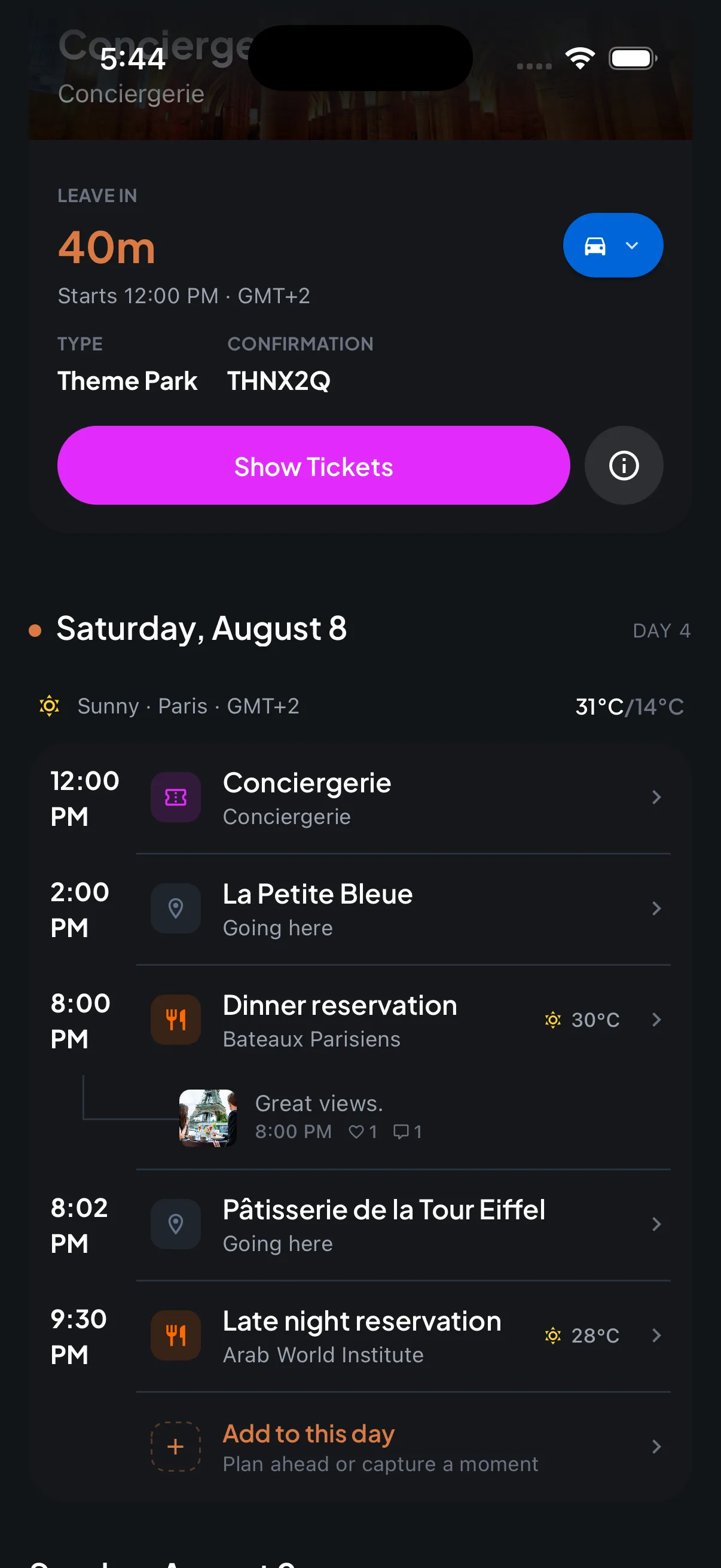
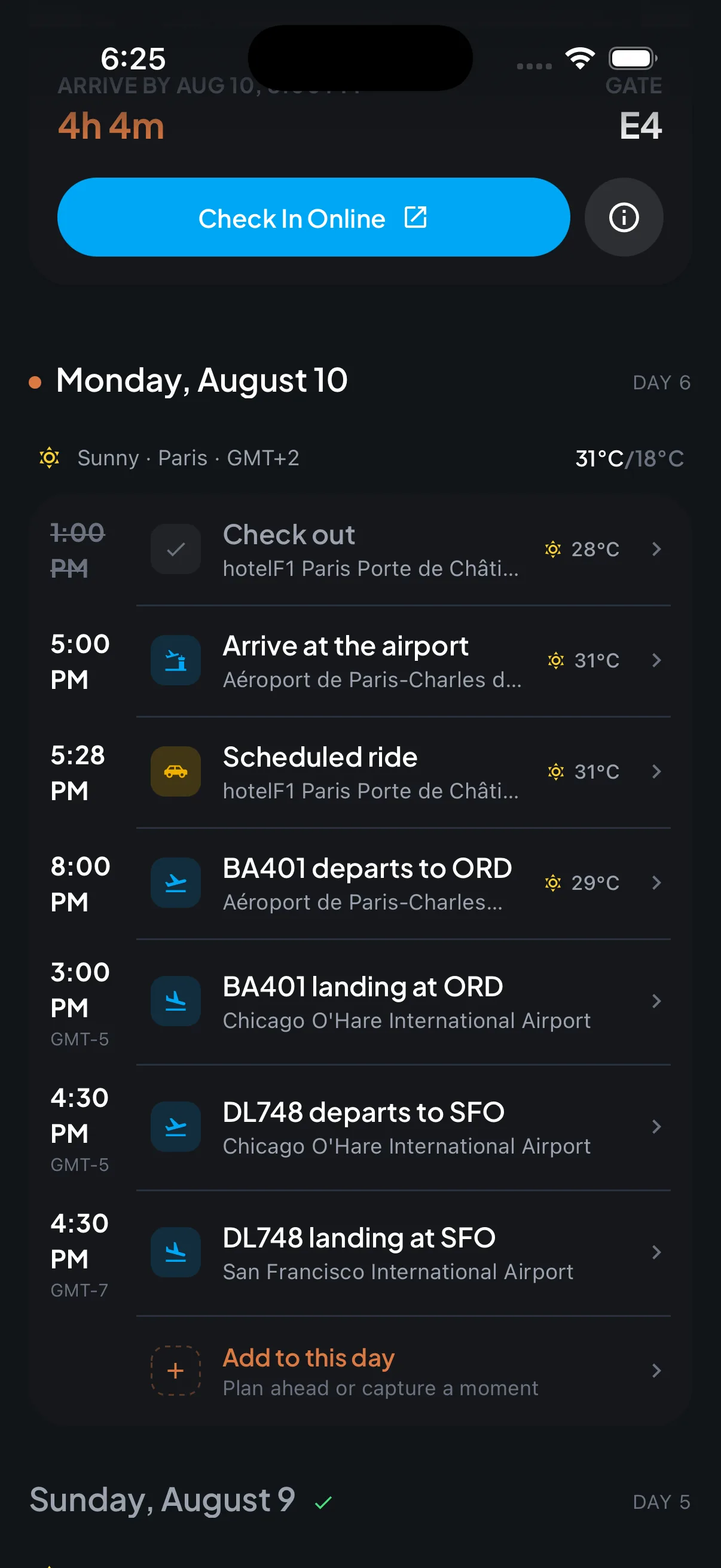
You never type a booking in by hand. Trip7 reads the confirmation, works out what it is and when it happens, and slots it into a day-by-day plan alongside everything else. A trip with four flights, two hotels, a train and a museum ticket ends up as one list in the order you will actually do it, with the time zones already worked out.
Can Trip7 read emails that are not booking confirmations?
Yes, and this is the part most travel apps cannot do. Forward a schedule change, a cancellation, a rebooking notice, or the whole back-and-forth conversation you have been having with the hotel or your travel agent. If the email is about your trip, Trip7 works out which trip it belongs to and updates the plan.
That matters because trips change after they are booked. An itinerary built only from the original confirmation is out of date the moment the airline moves your flight. Trip7 keeps reading, so what you see is the current version rather than the version you were sent in March.
What gets pulled out of each email?
Trip7 takes the details you normally have to go hunting for and puts them where you can reach them: the address, the phone number, the confirmation number, the check-in time, the cancellation policy and the price breakdown.
It also extracts your boarding passes, train tickets, entry codes and QR codes, and keeps them together in the app so you are not searching your inbox at the gate.
The short version
- What it costs
- Free to download and free to use.
- Where it runs
- iPhone and Android.
- What you send it
- Any email about your trip: confirmations, schedule changes, cancellations, and conversations with a hotel or travel agent.
- Bookings it understands
- Flights, hotels, trains, car rentals, restaurants, attractions and tours, cruises, taxis and transfers, parking, and transit passes.
- Where to forward
- trips@trip7.io, from an email address you have added to your account.
- Setup required
- Confirm the address you forward from once, or connect Gmail instead. There is never a booking to type in.