A flight tracker that watches your flights for you
Trip7 is a free iPhone and Android app that tracks the flights on your itinerary and sends delays, gate changes and boarding times straight to your phone. Because it builds your itinerary from your booking emails, it knows which flights are yours without you typing in a single flight number.


Free on iPhone and Android. No credit card.
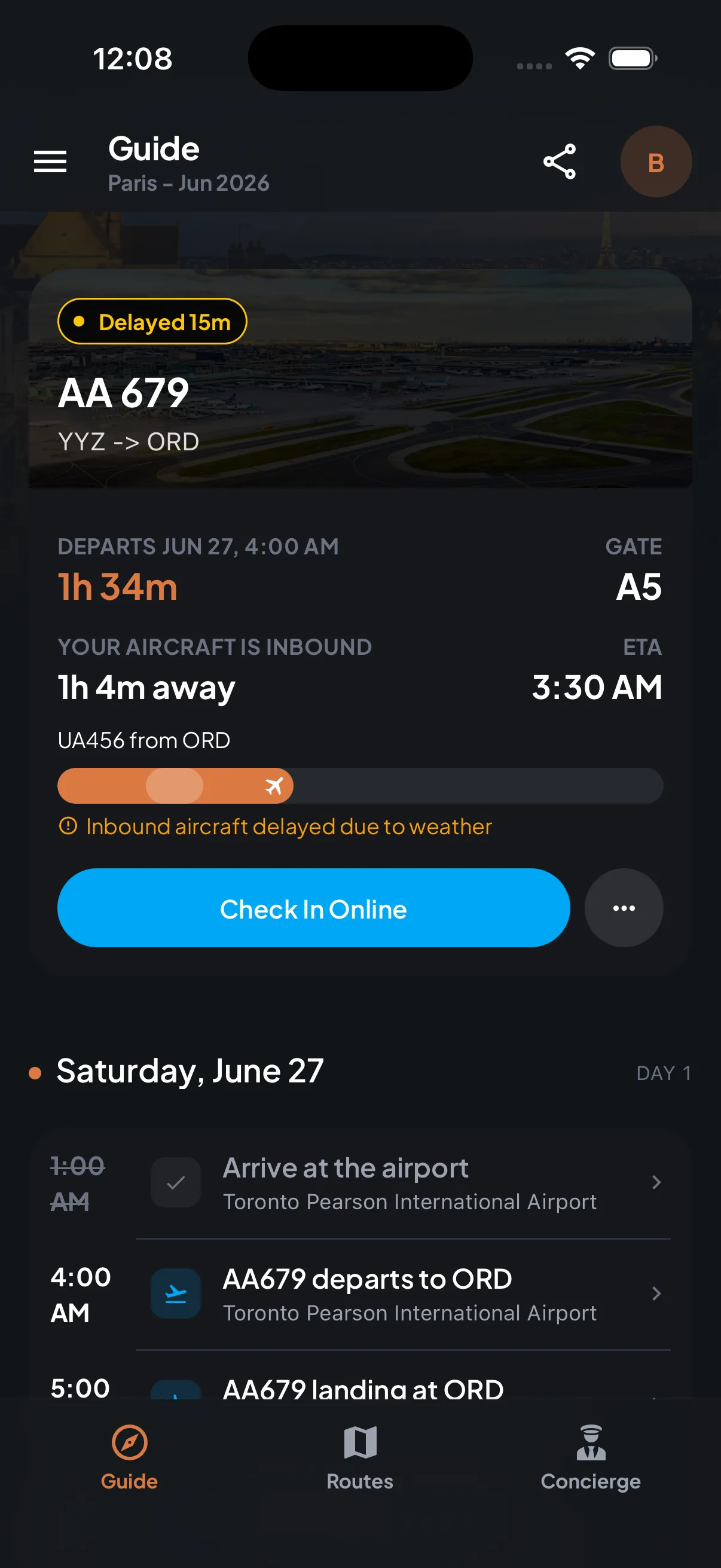
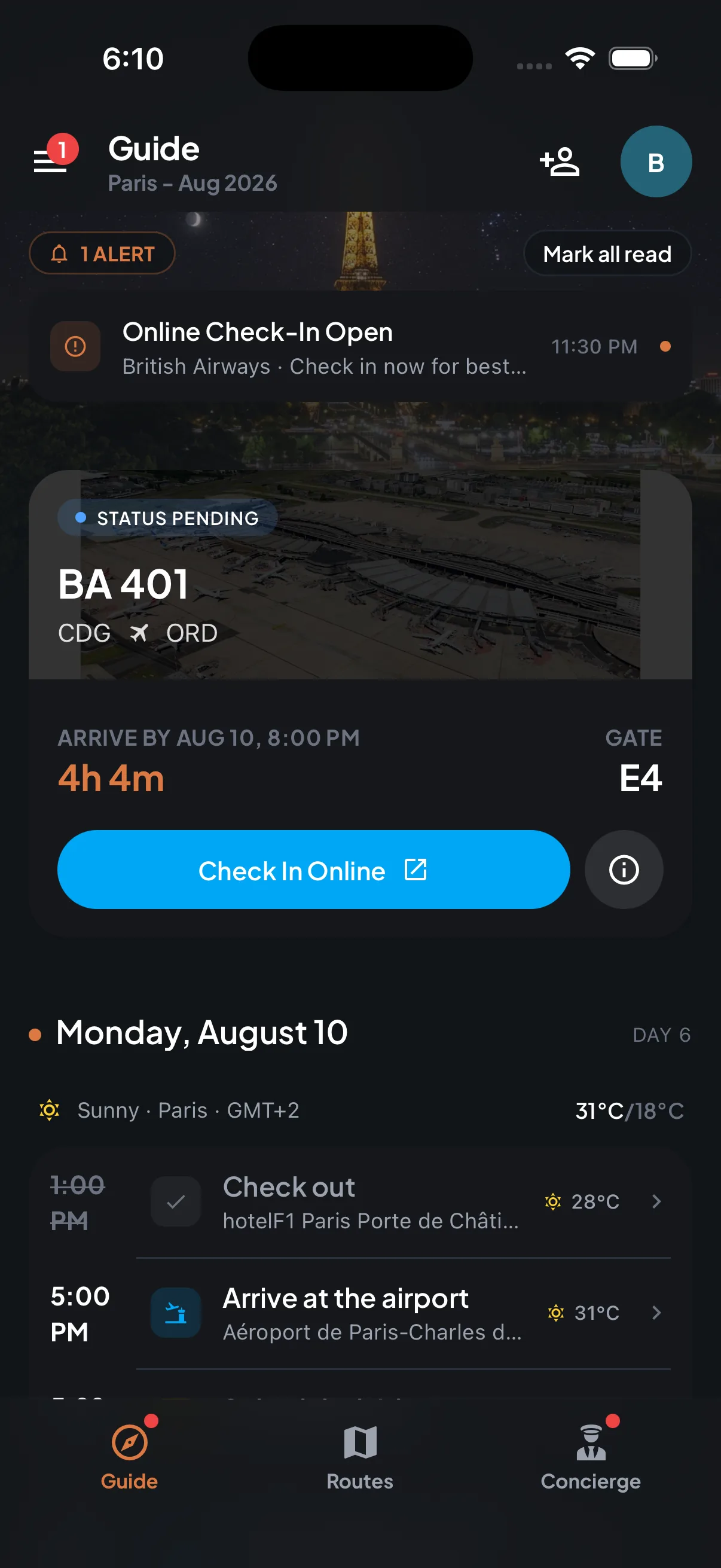
How do I get flight delay and gate change alerts?
Forward your flight confirmation to Trip7 and tracking starts on its own. There is no flight number to type in and no separate list to keep up to date, because the flights come from the same booking emails that built your itinerary.
From then on Trip7 watches the flight all day and sends delays, gate changes, boarding times and check-in reminders to your phone with enough notice to actually do something about them.
How can an app know about a delay before the airline announces it?
Most delays are inherited. The aircraft due to collect you is somewhere else first, and if it lands late, your flight leaves late — usually well before the airline updates its board.
Trip7 shows you that incoming aircraft: which flight it is, where it is coming from, how far away it is, and what time it is now expected. When it says the inbound aircraft is delayed by weather, you have a good idea of what your own departure is about to do, long before it is announced in the terminal.
Will Trip7 tell me if my airport is running late?
Yes. Before a departure, Trip7 checks the delay status being reported for the airport you are flying from, along with the reason behind it — weather, volume, or an equipment problem. A departure airport in trouble is often the thing that ruins a connection, and it rarely shows up on your own flight's status until late.
It also feeds into your departure timing. Before a flight, Trip7 writes you a leave-by brief: it takes your flight time, subtracts the buffer needed for bag drop, passport control and security, and subtracts how long the door-to-gate journey actually takes at that hour, then tells you the time to set off and shows you the arithmetic.
The short version
- What it costs
- Free to download and free to use.
- Where it runs
- iPhone and Android.
- What you are told
- Delays, gate changes, boarding times, check-in opening, the status of the aircraft flying in to collect you, and any delays reported at your departure airport.
- Setting it up
- Forward your flight confirmation. There is no flight number to enter and nothing to keep up to date.
- Who else can see it
- Anyone you send your trip link to can watch the flight on a map, without installing anything.