Forward your booking emails. Trip7 runs the trip.
One shared itinerary for everyone on the trip, or just for you. Trip7 tracks the flights, keeps the tickets, and tells each of you when to leave.


Free to download on iPhone and Android.
On a computer? Scan with your phone.
Mon 14 SepToronto
One trip for everyone on it. Each of you sees your own.
- Everyone adds to it.
- Forward a confirmation, add a reservation, drop a note. It lands on the plan the whole group shares.
- Everyone sees their own.
- Trip7 knows who is booked on what, so each of you gets your own seat, your own room, your own ticket and your own time to leave.
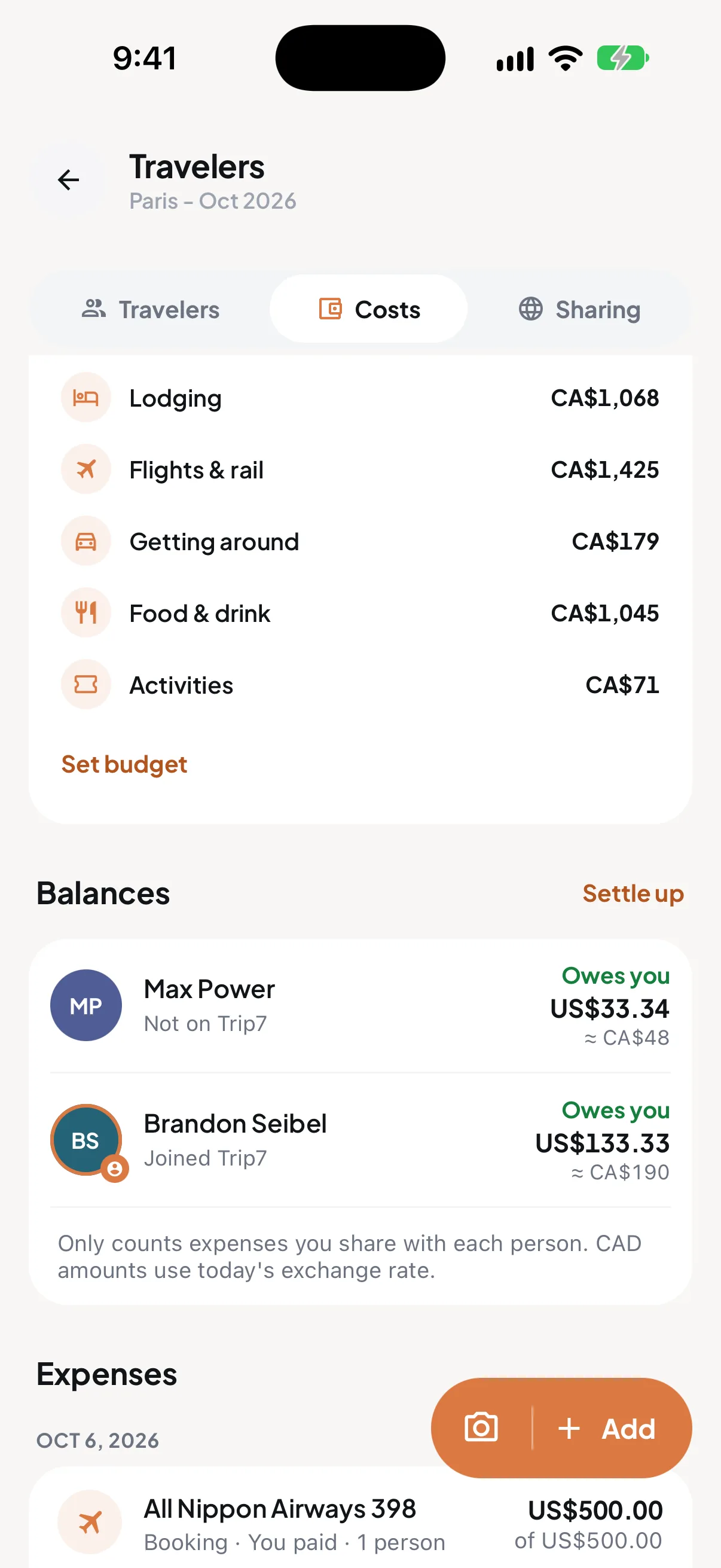
- Costs split as you go.
- Every booking splits across the people on it, in any currency. Friends who have not joined Trip7 yet are counted too.
Travelling on your own? It is the same plan, just yours.
Tue 15 SepToronto
Forward the confirmation. That is the setup.
Send any booking email to trips@trip7.io, or connect Gmail once and Trip7 finds them for you. Anyone in the group can forward, and schedule changes and cancellations count too.
- From
- Bouillon Chartier Grands Boulevards
- To
- trips@trip7.io
- Subject
- Fwd: Your table is confirmed
Thank you for your reservation.
Saturday 3 October, 8:00 PM
Table for 2
Bouillon Chartier Grands Boulevards, Paris
Fri 2 Oct, eveningParis
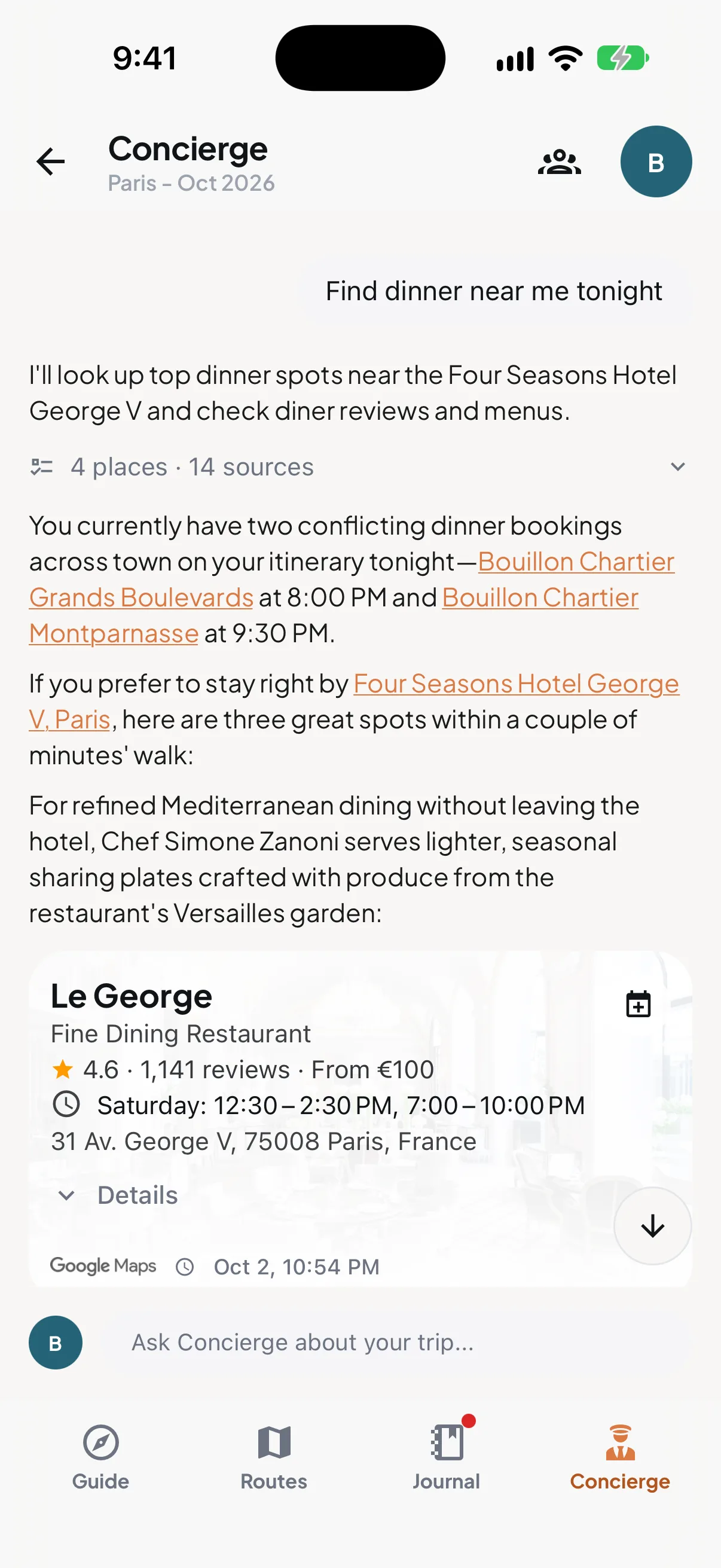
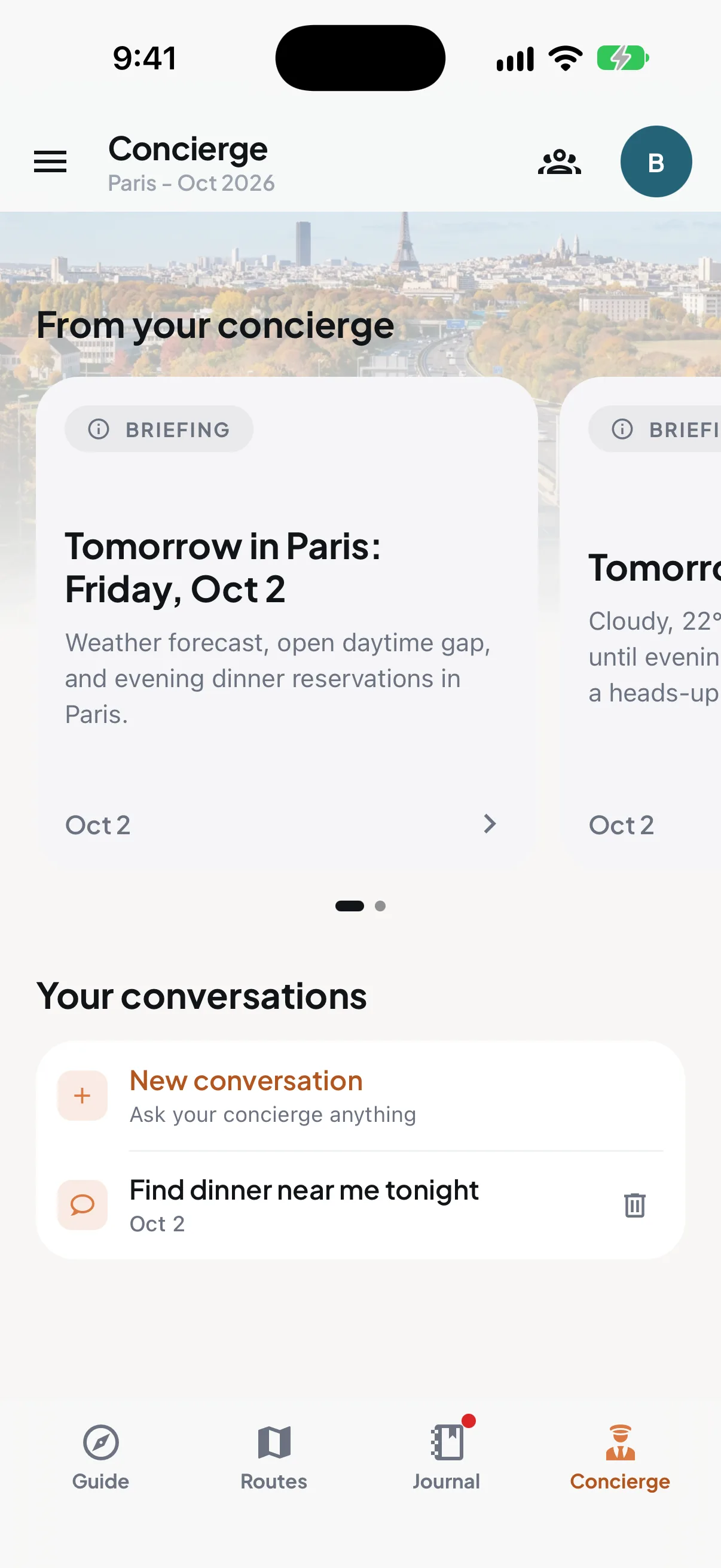
Ask about tonight. It already knows where you will be.
The concierge answers with your plan open in front of it, so the answer fits your real day. It can help fill the open parts of a trip, too.
- “Where should we eat near the hotel tonight?”
- “What is open on our free morning?”
- “How do we get from the station to the museum?”
Before suggesting anywhere, it pointed out the two dinners already booked for tonight.
Sat 3 to Tue 6 OctParis
It tells you before you think to ask.
Trip7 watches the flights, the clock and the plan, and speaks up while there is still time to do something about it.

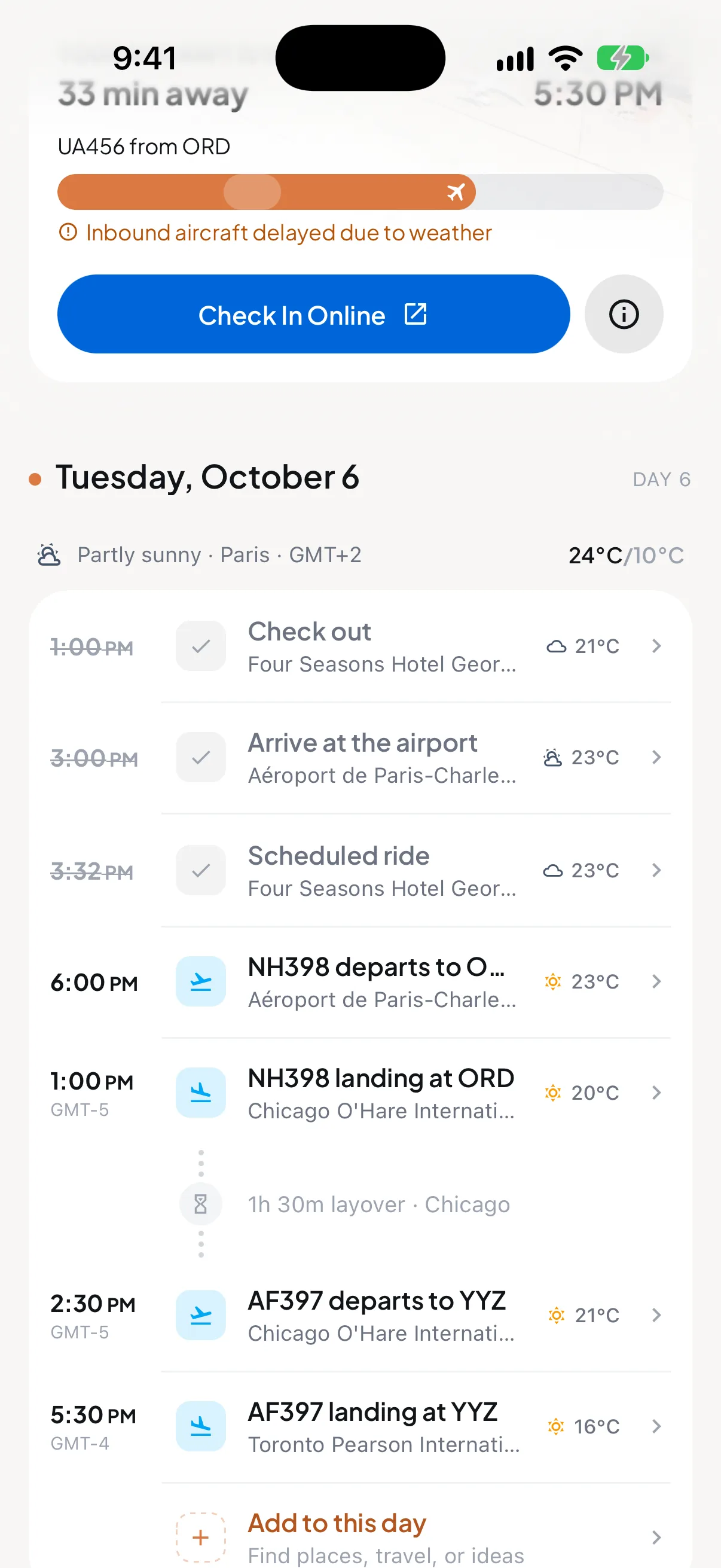
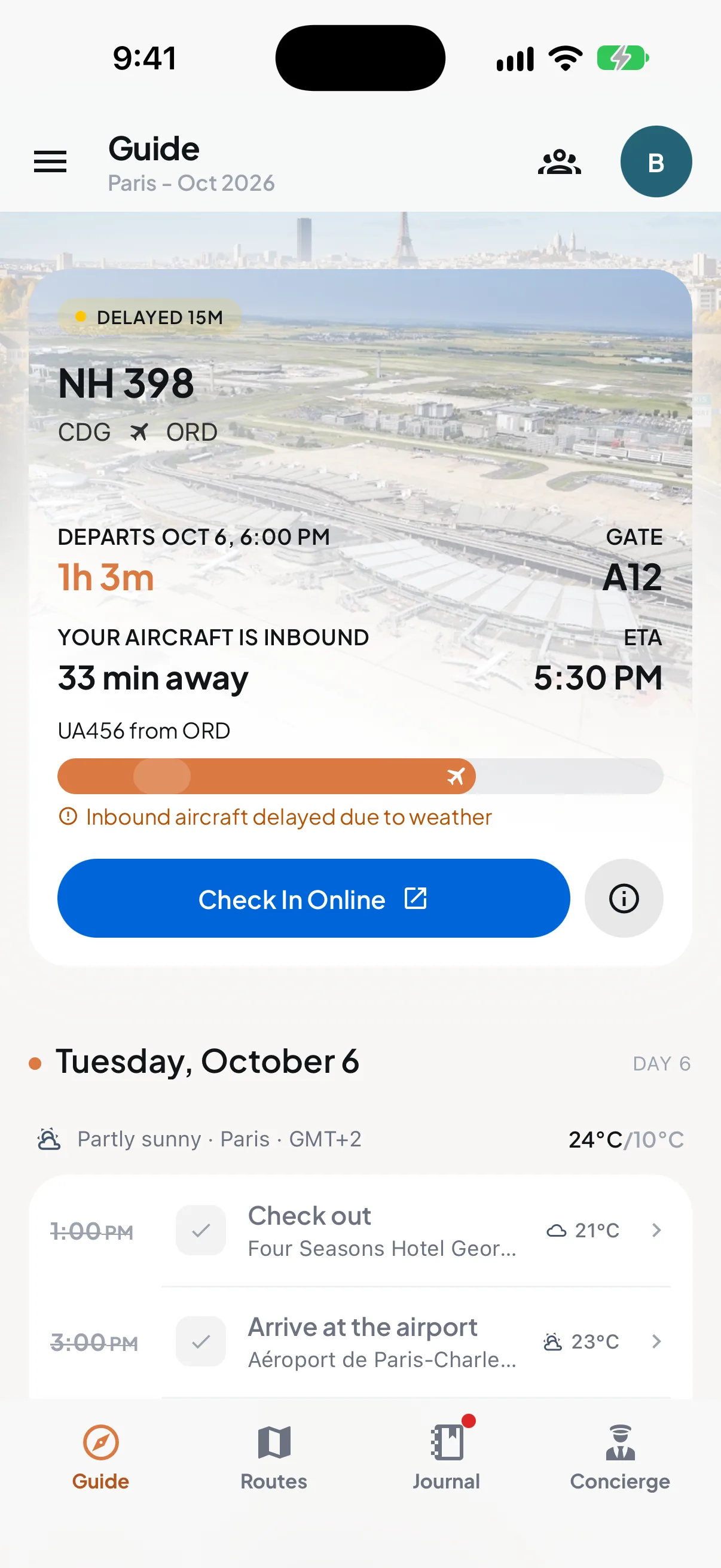
NH398 is delayed 15 minutes
The plane coming in from Chicago is held up by weather. You leave from gate A12.
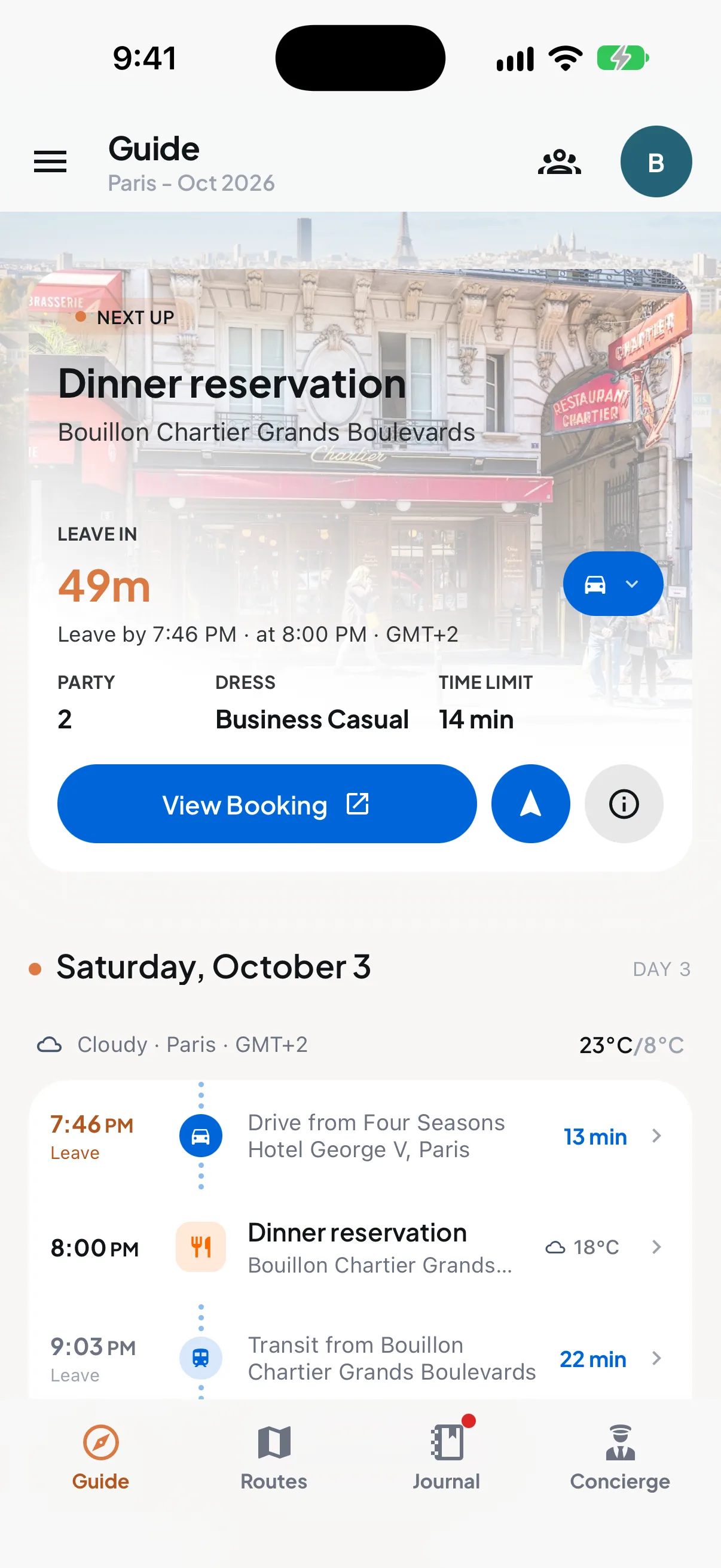
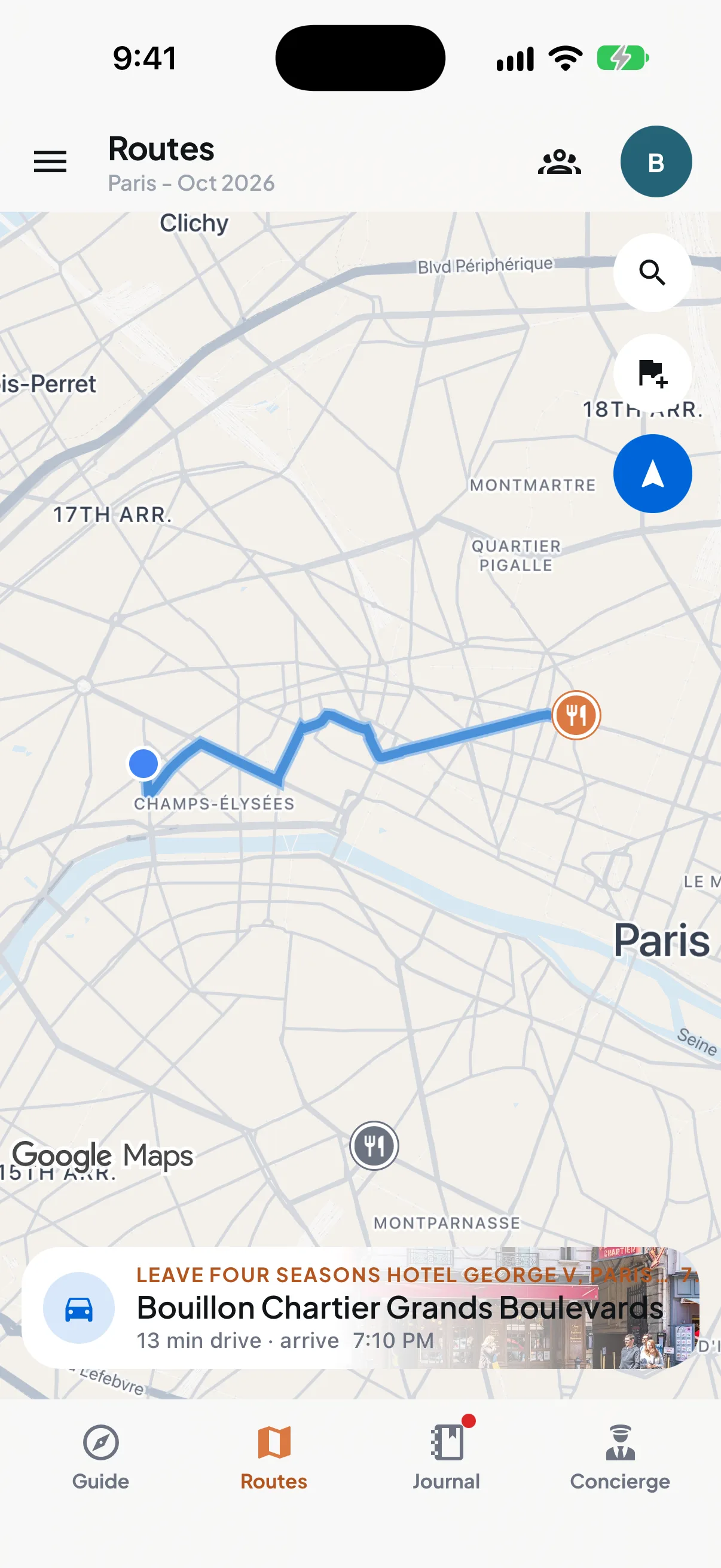
Leave by 7:46 PM for dinner
Bouillon Chartier Grands Boulevards is a 13-minute drive from the hotel.
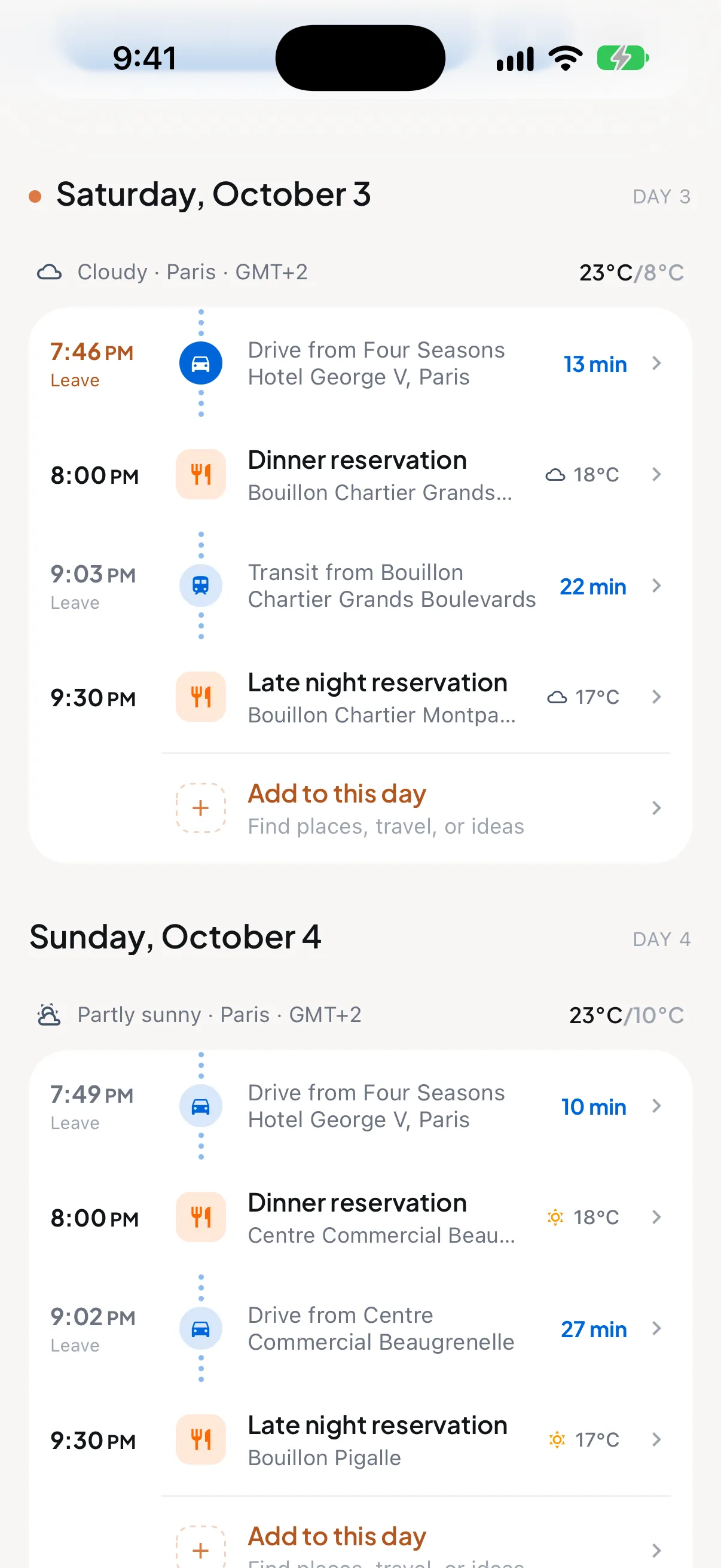
Two dinners booked tonight
You have tables at 8:00 PM and 9:30 PM, at two different Bouillon Chartier restaurants.
Tue 6 OctParis to Toronto
On the day, it keeps everyone moving.
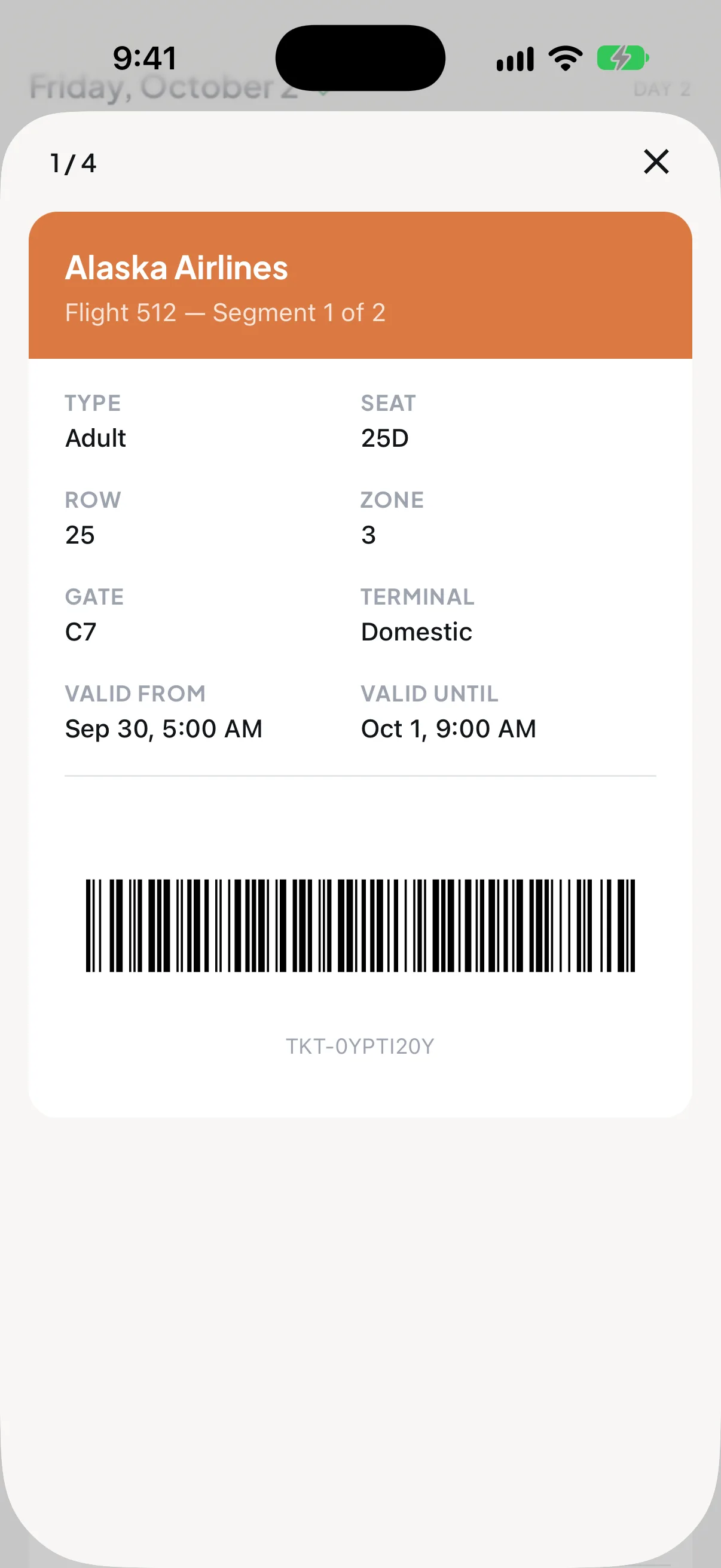
Gate changes and delays the moment they happen. A countdown to the next booking, timed by car, train or on foot. Every pass ready to scan, with the screen brightened for you.
Flights
Getting there
Tickets
Tue 6 Oct, 5:30 PMToronto
Family at home can follow along. No app, no account.
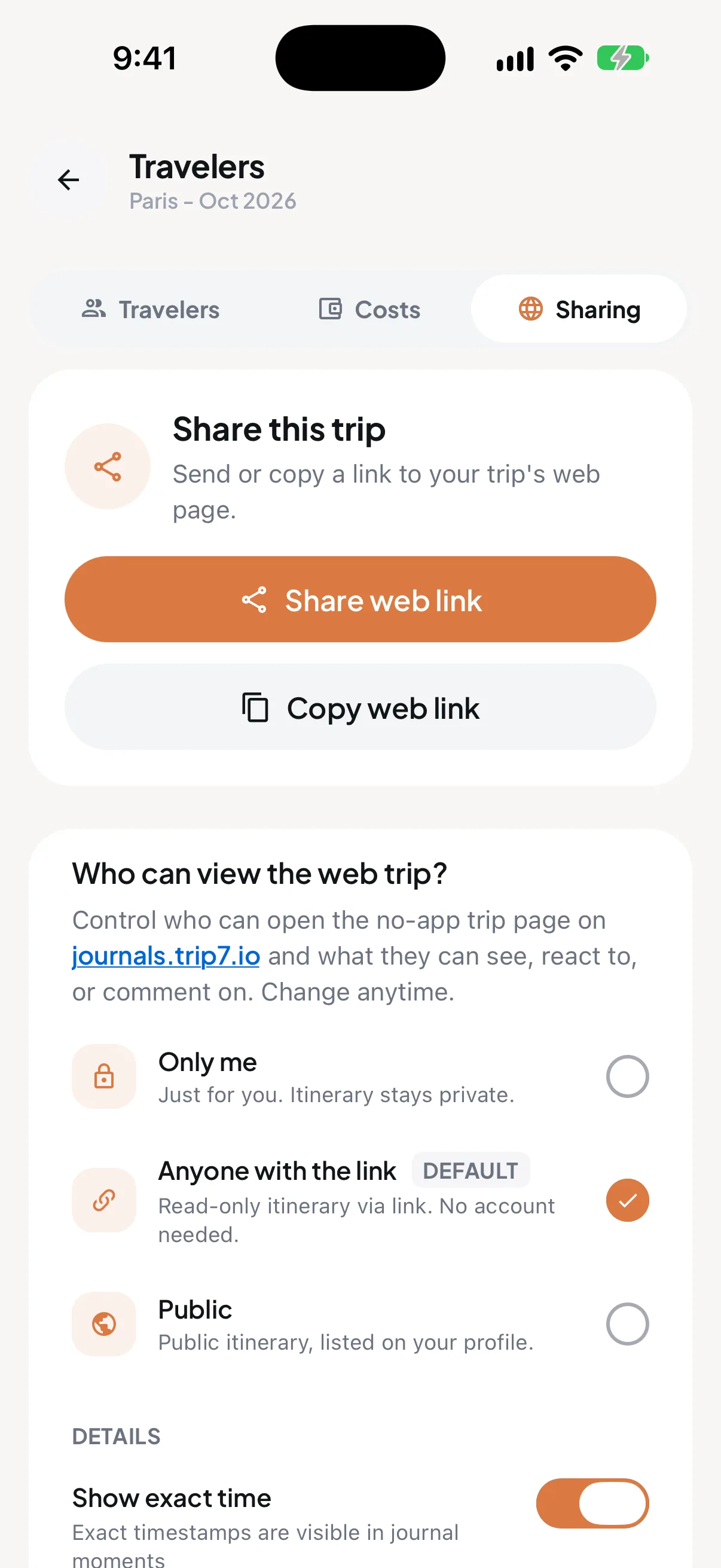
Send one link and it opens in any browser. You choose who can see it: just you, anyone with the link, or everyone.
- They watch your flight move across the map, live.
- The page updates itself when plans change.
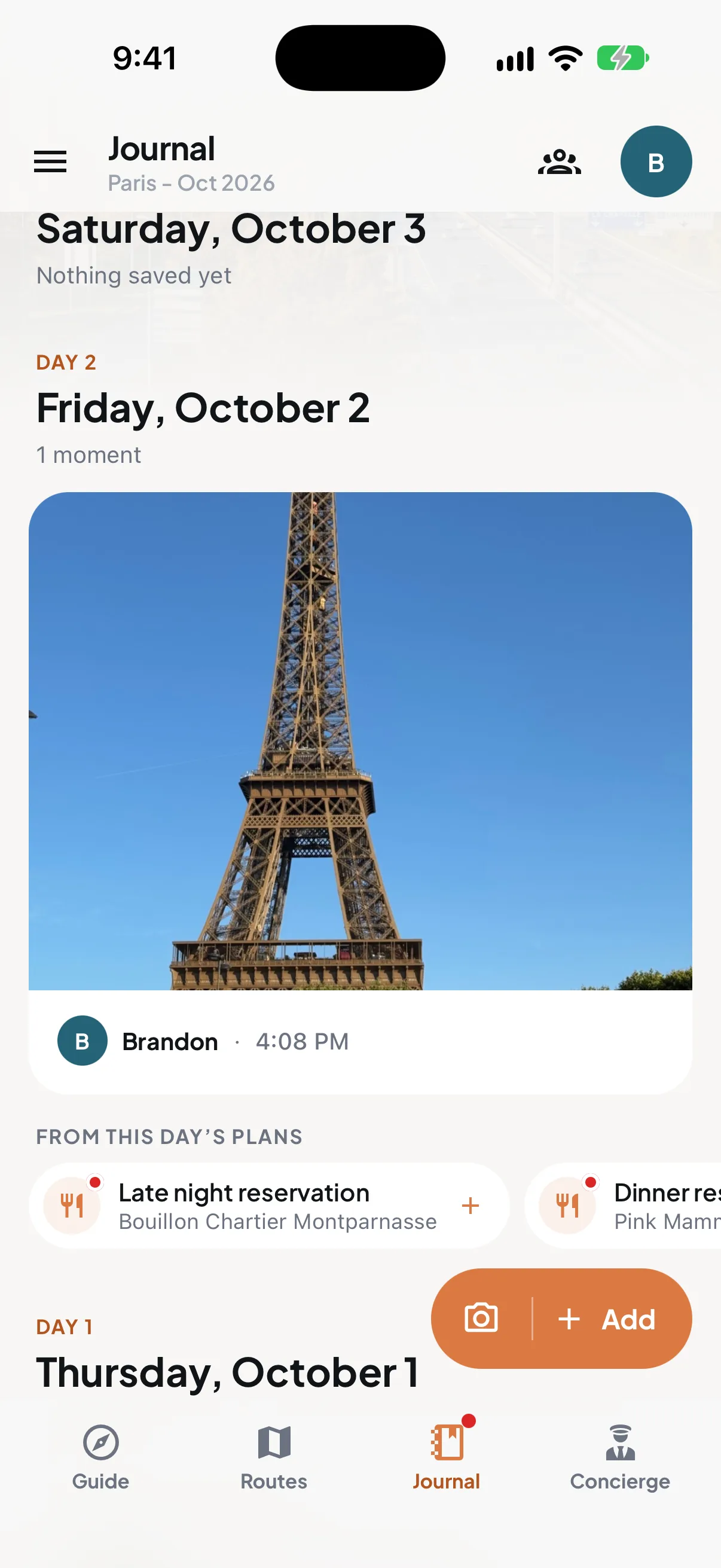
- Photos and notes land on the day they happened, and family can reply.
Nobody has to ask if you landed.
What Trip7 reads, and what it leaves alone.
The full detail is in the privacy policy.
- What it reads
- The booking emails you forward, or the travel bookings it finds if you choose to connect Gmail.
- Where you are
- Only while the app is open on your screen. Never in the background, on a trip or off one.
- Who sees the trip
- Nobody until you share it, trip by trip. Switch the link off whenever you like.
- Your data
- Never sold. Delete your account and everything in it from the app or on the web.
What travellers say
“It organized each trip with my hotels, itineraries, flights, train tickets… I now don't have to scroll through multiple emails to find information on my trips.”
“Planning trips for our growing family has always been stressful. Got sent this app and it really helped. Felt like we had an assistant!”
“Has helped my family book and plan both small weekend road trips and big travel flights.”

“The constant switching and re-routing while trying to keep everyone on schedule was more stressful than anything on the actual itinerary.”
Questions, answered.
Straight answers on what Trip7 does, what it costs, and what it does with your information.
What is Trip7?
Trip7 is a travel app for iPhone and Android, free to download, that turns the booking confirmation emails you already get into one shared, day-by-day itinerary for you and everyone travelling with you. It is not another place to search and book. It looks after the trip you have already booked: it tracks your flights, keeps your tickets, tells each person when to leave for the next booking, splits costs across the group, answers questions about your trip, and lets family follow along from home.
How much does Trip7 cost?
Trip7 is free to download, and organizing and running your trip with it is free. Some extra features, and heavier use of some features, will be part of a paid option. You do not need a credit card to get started.
How do I forward a booking email to Trip7?
You forward it to trips@trip7.io. The one-time step first is to add the email address you send from to your account in the app, so Trip7 knows the email is yours: add the address, confirm it, and from then on anything you forward from it lands in your plan a few moments later. You can add more than one address if you book from more than one inbox. If you would rather not forward anything at all, connect a Gmail account once and Trip7 will find your booking emails on its own.
Can I share the trip with the people travelling with me?
Yes. Invite your travel companions in the app and everyone builds on the same trip: anyone can forward a confirmation or add a booking, and it lands on the shared plan. Trip7 knows who is booked on what, so each person sees their own seat, room, ticket and departure time. Every booking is split across the people on it, with a running balance of who owes whom in any currency.
Does my family need the app to follow my trip?
No. Share your trip as a web link and anyone can open it in an ordinary browser. There is no app to download, no account to make and nothing to sign up for. They see your day-by-day plan, your journal photos, and your flight moving across the map in real time.
Does Trip7 track flight delays and gate changes?
Yes. Trip7 watches your flights all day and sends delays, gate changes and boarding times straight to your phone, usually before the airline announces them. It also shows you whether the aircraft flying in to collect you is running late, which is often the first sign that your own flight will be delayed.
Can Trip7 split travel costs with my group?
Yes. Every booking is split across the people actually on it the moment it lands in Trip7, and you can add expenses on the go in any currency. Trip7 keeps a running balance of who owes whom, converted at today's exchange rate, and travellers who have not joined Trip7 yet are counted too.
Does Trip7 track my location in the background?
No. Trip7 only uses your location while the app is open on your screen, so it can answer questions about where you are and time your next journey. It does not track you in the background, on a trip or off one, and it does not ask for background location permission at all. Sharing is off by default and turned on by you, one trip at a time.
More questions (13)Fewer questions
Do I need a Gmail account to use Trip7?
No. Connecting Gmail is optional and only saves you the step of forwarding. Trip7 works with any email provider: add the address you want to forward from to your account, confirm it once, and you can forward booking emails to trips@trip7.io from that inbox.
Can Trip7 read emails that are not booking confirmations?
Yes, and this is the part most travel apps cannot do. Forward anything about your trip: a schedule change, a cancellation, a rebooking notice, or your whole back-and-forth conversation with the hotel or your travel agent. Trip7 works out which trip it belongs to and updates your plan, so what you see is always the latest version even after something changes.
What kinds of bookings can Trip7 organize?
Flights, hotels, trains, car rentals, restaurant reservations, attraction and tour tickets, cruises, taxi and transfer bookings, parking, and transit passes. Trip7 puts them all on one timeline in the order they happen, including trips with several flights, layovers and tight connections across different time zones.
Does Trip7 know if my airport is having a bad day?
Yes. Before a departure, Trip7 checks the live delay status reported for the airport you are flying from, including the reason for any delays, and works it into the brief it writes you. It uses that alongside your flight time and how long the journey to the airport takes to recommend when you should leave.
How does Trip7 know when I should leave?
Trip7 knows where your next booking is and when it starts. It works out how long the journey takes by car, by public transport or on foot, watches the traffic, and gives you a countdown telling you when to set off. If you want to stop somewhere on the way, search for the place and Trip7 tells you whether the detour still gets you there on time.
Where does Trip7 keep my boarding passes and tickets?
Trip7 pulls the boarding passes, train tickets, entry codes and QR codes out of your booking emails automatically and keeps them together in the app. Swipe to the one you need and the screen brightens on its own so the scanner reads it the first time.
Can Trip7 recommend places to eat and things to do?
Yes. Ask the Trip7 concierge in your own words and it answers with your trip in mind, because it already knows where you are staying, what you have booked and where you are standing. You get places nearby with walking times, opening hours, prices and what other people said about them.
Does Trip7 write a packing list?
Yes. Trip7 builds a packing list from your actual plans and the weather forecast for the place you are going, so it accounts for what you have booked rather than giving you a generic checklist.
Can Trip7 help me with the local language and customs?
Yes. Trip7 gives you useful phrases in the local language written out so you can say them, along with how things are normally done where you are going: how tipping works, how to greet people, and how the local transport is used. It also tells you the entry requirements and any safety notices for the countries on your trip.
Is Trip7 a trip planner?
Trip7 is a travel organizer first. Trip planners help you research and build a trip before you book; Trip7 starts once you have booked, turning your confirmation emails into one itinerary and running the trip from there with flight alerts, leave-by times and tickets. Its concierge can still help plan the open parts of a trip, such as a free morning or where to eat tonight, using what is already in your itinerary.
Can I choose who sees my trip?
Yes. Every trip is private until you decide otherwise. You can keep it to yourself, share it with anyone who has the link, or make it public, and you set this separately for each trip. You can change your mind or switch the link off at any time.
Is Trip7 only for big trips?
No. Trip7 suits any plan with more than one part: a day out in the city with a few reservations, a weekend away, or a month abroad. If there are bookings to keep track of, times to make and people to meet, it earns its place.
Does Trip7 work on iPhone and Android?
Yes. Trip7 runs on both iPhone and Android, and it is free on each. The people following your trip on the web need only a browser.
Trip7 for Business: offsites and company trips.
Planning a team offsite? Organizers plan it on the web, and everyone travelling gets the trip in the Trip7 app.
Plan an offsite at host.trip7.io- For organizers
- Research venues, hotels and activities, compare the budget, and build the run of show in one place.
- For the team
- Every attendee gets the offsite in Trip7: a live itinerary with flight tracking, the concierge and shared photos.
- Private by design
- Organizers see who is ready, not people's personal itineraries. Travel is shared only with consent.
Spend the next trip on the trip.
Forward one booking email and watch the whole trip take shape, for you and everyone coming with you.
Free to download on iPhone and Android.
On a computer? Scan with your phone.